
Dedicated Computer Audio Instructions
For audio on the dedicated computer, please make sure the system is set to use the Crestron (AMD High Definition Audio Device) for the speakers.
To change the settings, click on the Speaker icon on the system tray and then the icon to the right of the volume bar.
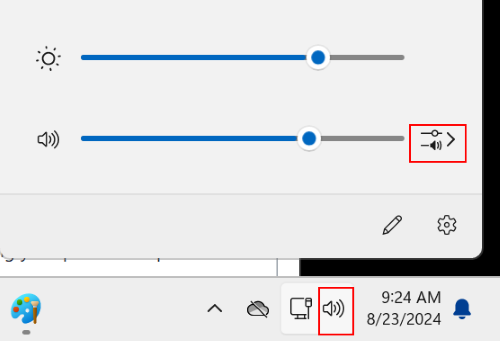
Select Crestron (AMD High Definition Audio Device).
