
Remote Desktop App
To use the EMS Desktop Client, please see https://help.rit.edu/sp?id=kb_article&sysparm_article=KB0044154 for instructions.
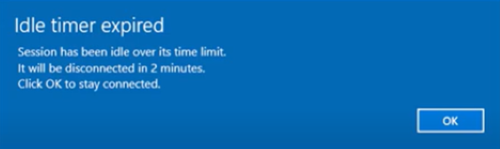
Idle Timer Expired Error
If you receive the following error on your screen, here’s how to fix it:
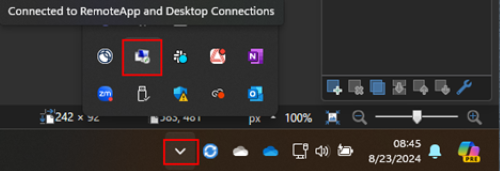
Click on the RemoteApp and Desktop Connections icon in the system tray:
Select Disconnect from REMOTEAPPS.AD.RIT.EDU. This will prevent the error from returning.
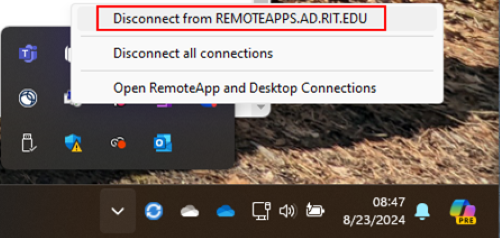
This error may return each time you use the software. Even if you close the EMS window, it doesn’t always close the connection. To close the connection, you have to use this method.