
Student computers not appearing on Teacher Console
If the student computers are not showing up on the Teacher Console, you may need to tell the system which network to use to view student computers. This is caused by a compatibility issue with another software package that is installed in the labs.
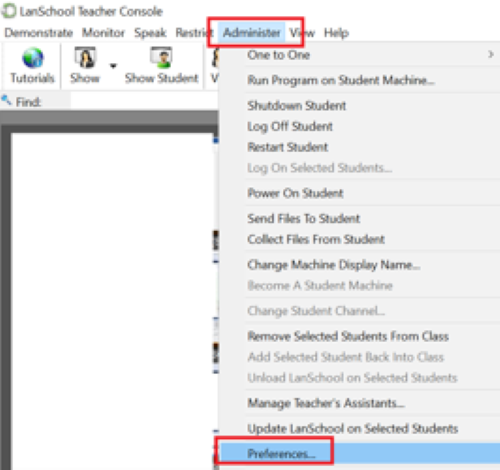
Start by opening the LanSchool Teacher Console and clicking on Preferences under the Administer menu.
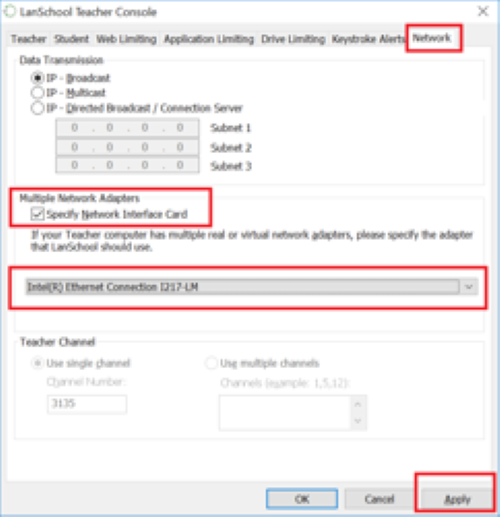
Next click on the Network tab.
Check Specify Network Interface Card and select Intel(R) Ethernet Connection…
Click Apply
Click OK
Once done, the student computers should reappear.