
Overview
These instructions are intended for those using the Avaya J159 handset.
Transfer a Call
When you receive a call, here’s how you can transfer it to another number.
Press Transfer.
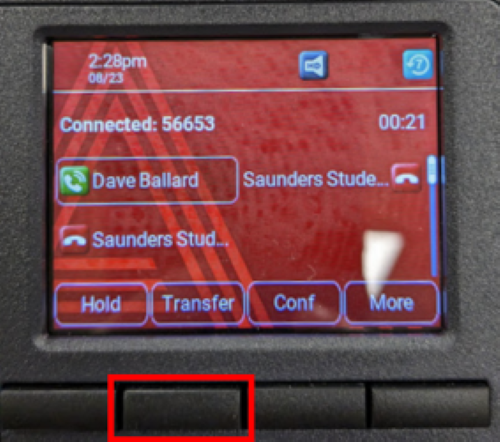
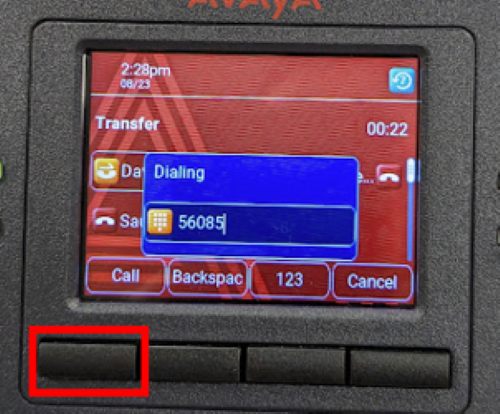
Dial the number you wish to transfer the call to and press Call.
You will be presented with two options, Now or Talk. Now will transfer the call immediately. Talk will allow you to speak with the person you are transferring to before you transfer the call. This may be helpful if you want to ask them first if it is okay to transfer the call to them.
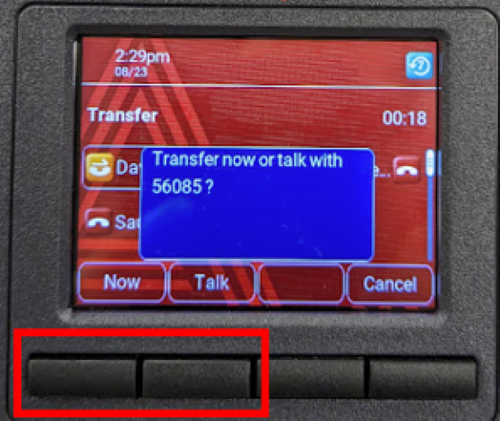
If you selected Now, you are all set.
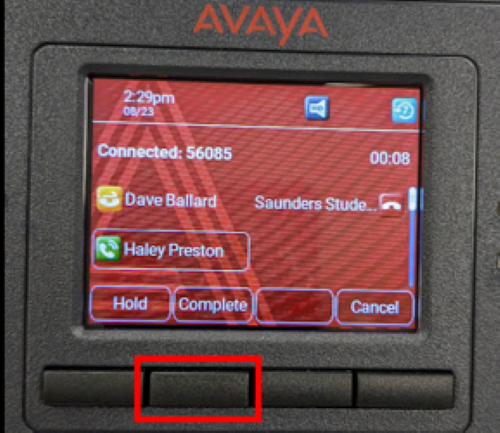
If you selected Talk, then you will need to press Complete to complete the transfer. If the person you are transferring to says they don’t want to talk, you can select Cancel.
Check Call Logs
- Go to Menu (three horizontal line icon) and then Applications, Scroll down and select Recents.